
Create Anime Music Videos with AI
Upload your audio and Tunee generates Anime-style music videos with cel-shading — no design tools, no rendering software needed.
Frame previews from AI Anime music videos
Single frames pulled from AI-generated music videos — a glimpse of the Anime visual style Tunee creates from your audio, no camera or crew needed.

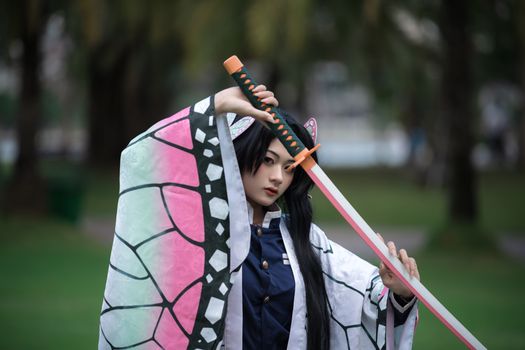
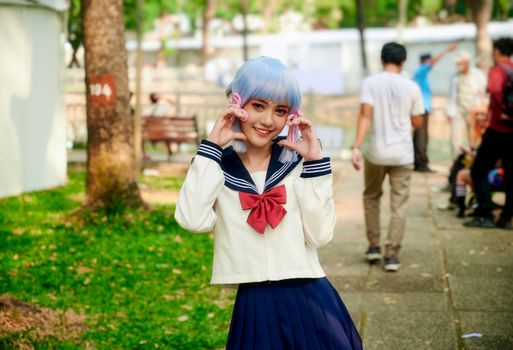
Anime MVs that don't look like a Stable Diffusion accident
What anime actually looks like
Anime isn't one style - it's a dozen schools with different rules. Ghibli's painterly backgrounds and limited animation. Makoto Shinkai's hyper-detailed god rays and lens flares in Your Name and Weathering With You. Kyoto Animation's character acting in Violet Evergarden. Trigger's sakuga bursts in Kill la Kill. The cel-shaded line, the flat color fills, the three-frame walk cycles - these are choices, not defaults. AMV pages full of generic 'anime girl' are made by people who didn't pick one.
Reference points that work
Briefing anime MV: name the director and the show. 'Makoto Shinkai sky, Your Name (2016) palette' tells the model exactly where to land - saturated cyan-to-orange gradient, volumetric god rays through cloud breaks, painted cumulus. 'Hiroyuki Imaishi sakuga, Kill la Kill action frames' pulls energetic line boil and impact frames. 'Hayao Miyazaki and Kazuo Oga watercolor background' pulls Studio Ghibli's hand-painted forests. Mamoru Hosoda's Belle for crowd choreography. For MV-native references: Eve's Kaibutsu (animated by Tatemiya) and Ado's Usseewa visuals. Tunee's anime model treats these schools as separate vocabularies, not melted together.
Prompting tip for Tunee
Always name a studio reference. Then specify whether you want still composition with limited animation (Ghibli) or full sakuga motion (Trigger, Bones). Add 'cel-shaded, hard shadow edges, no soft gradient on skin' to prevent the model drifting into 3D-rendered anime adjacency. For backgrounds use 'painted background, hand-drawn texture' - without that you get 3D renders with anime characters pasted on top, which always looks wrong.
Anime music video prompts — copy & generate
Each prompt is crafted for Anime aesthetics. Paste into Tunee, hit generate — your anime music video is ready in seconds.
Cherry blossom garden, a girl playing acoustic guitar, cel-shading style, soft golden hour light. Wide establishing shot, slow push-in. Dreamy lighting — golden edges, deep contrast centre. Cel-shading fills the background. Beat drop triggers a hard cut to a new angle.
Split-screen: performance left, abstract watercolor right. Both react to the same beat. Epic palette. Merge into full-frame at the final chorus.
Zero-gravity: cel-shading drifts and collides in nostalgic slow motion. Each snare triggers a burst of mecha. Final bar: everything collapses into a beam of light.
A dreamy scene with cel-shading and sweeping camera movements, bathed in dramatic lighting that pulses with the beat
Artist immersed in watercolor, epic energy radiating through every frame and cut of the video
Abstract mecha morphing and flowing in slow motion, capturing the dreamy essence of the music perfectly
Close-up shots of cel-shading dissolving into chibi, creating a epic visual journey that follows the song's rhythm
Wide establishing shot of a nostalgic environment with watercolor in the foreground, evoking a deep emotional resonance
How creators use Tunee's Anime music video generator
From release day to full content calendars — real ways people ship anime music videos with Tunee.