
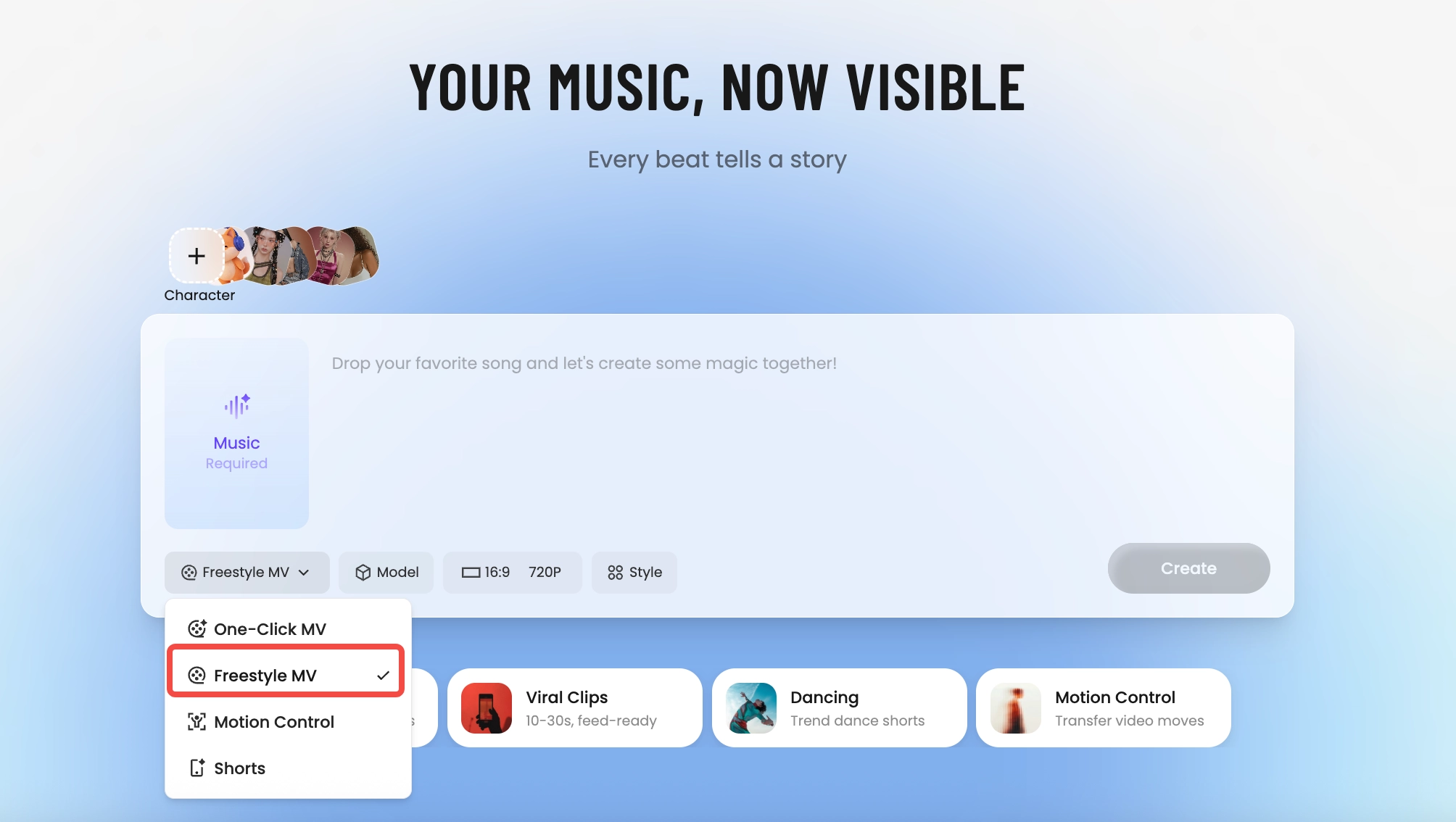
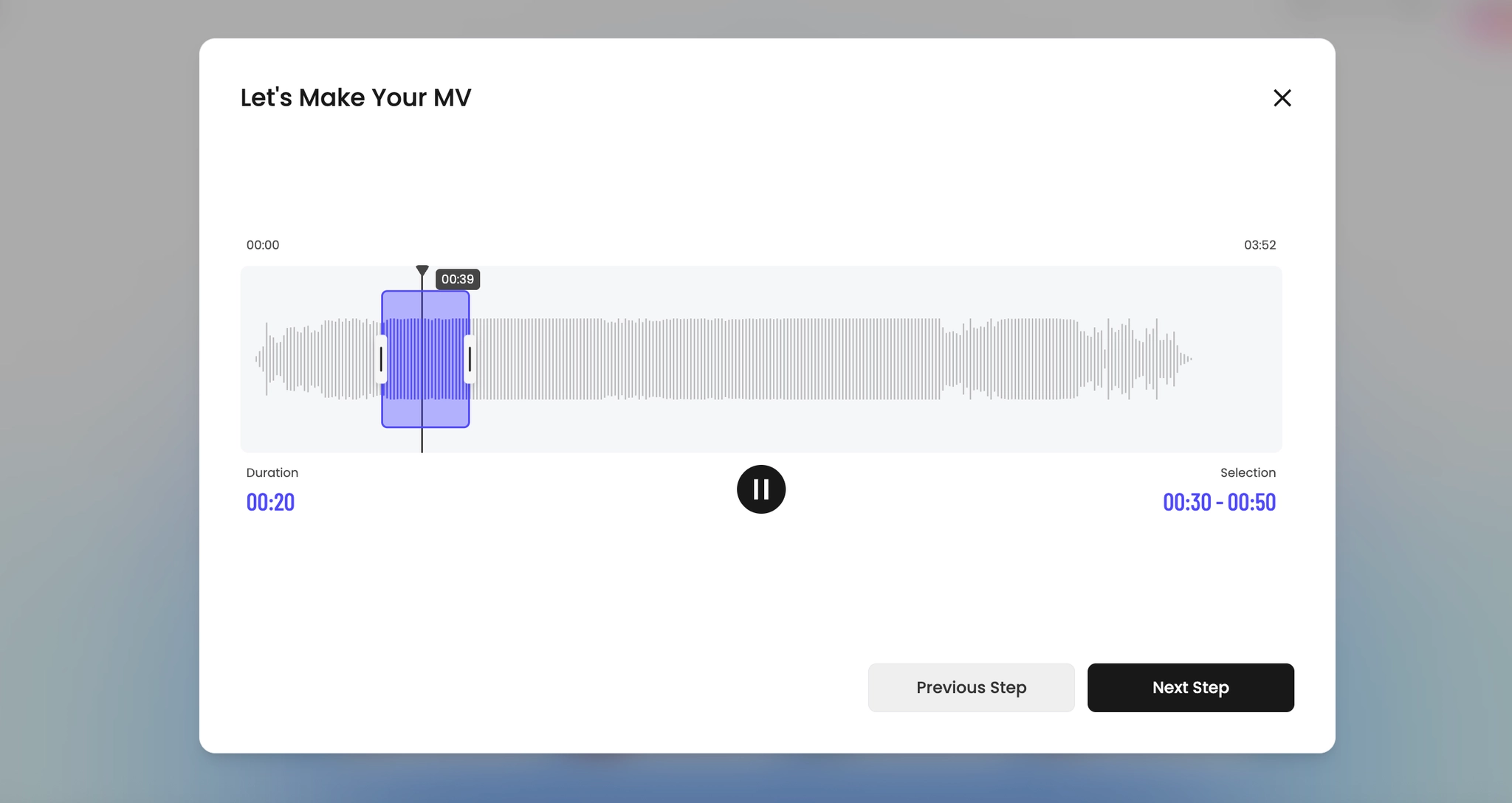
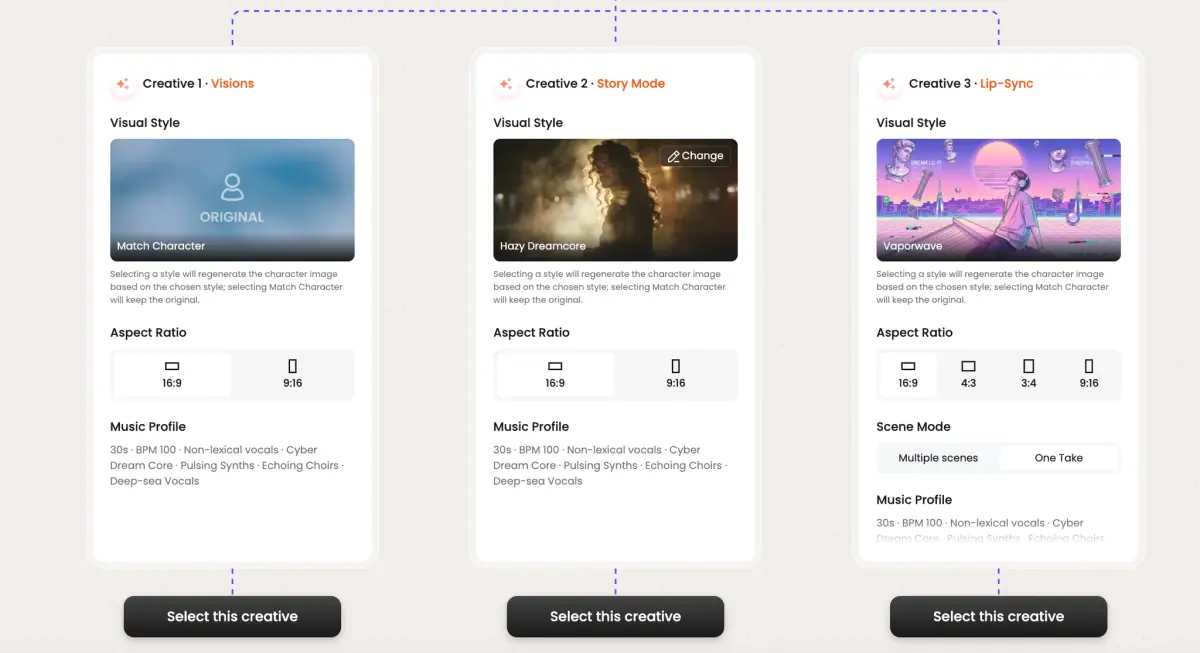
Tunee AI 音乐视频制片人如何运作
四个 AI 代理协作,将你的音频变成完整的音乐视频 — 你选择瞬间与方向,Tunee 处理其余的一切。
AI YouTube 音乐视频画面预览
从 AI 生成的音乐视频中抽出的单张画面 — 一窥 Tunee 从你的音频生成的 YouTube 视觉风格,无需摄影机或拍摄团队。


YouTube is the one platform where the full-length MV still wins
Why 16:9 and longer-form still matter here
Outside YouTube, the music video has been compressed into vertical 60-second clips. On YouTube, the original format is still the dominant one — 16:9, 3-to-5 minutes, watched on a TV or laptop in the background. The platform's algorithm rewards watch time in minutes, not retention in seconds, which means a 4-minute MV that holds 60% is worth more than ten 30-second cuts that hold 90%. The math favors letting the song breathe.
What the YouTube MV canon looks like
Open with a cold intro (Hiro Murai's Childish Gambino videos, Dave Meyers' 21 Savage cuts, anything Cole Bennett directs for Lyrical Lemonade) — 5 to 15 seconds of scene-setting before the first downbeat. Hold establishing wides longer than you would on TikTok. Earn the close-up. End with a tag, an outro card, or a smash cut to credits — the YouTube viewer is conditioned to watch through the end card.
Tunee's YouTube preset, specifically
Pick YouTube and the renderer outputs 16:9 at 4K, with a longer intro window, slower average cut length (1.8 seconds versus 0.9 for the TikTok preset), and a chaptered timeline if your song has clear sections. Upload-ready MP4, H.264, audio at 320 kbps AAC. Thumbnail-frame grabs at the visual peaks are auto-generated so you're not scrubbing the timeline trying to find the moment that sells the click.
YouTube 音乐视频提示词 — 复制并生成
每个提示词都专为 YouTube 美学设计。粘贴到 Tunee,点击生成 — 你的 YouTube 音乐视频几秒内完成。
16:9 landscape frame. Hook in the first 3 seconds: tight close-up of 16:9 widescreen, hard cut to the artist on the beat drop. Engaging grade, high contrast. Text overlay at the chorus — clean sans-serif, bottom third. Runtime: 30–45 s.
Shareable visual style built for YouTube — YouTube thumbnail in the background, transitions locked to every 4-beat phrase. Fast cuts on the hook, one slow-motion beat mid-song for emotional impact. Designed to hold watch-time past 50%.
Artist-forward 16:9 landscape — 16:9 widescreen surrounding the performer, camera movement synced to rhythm. High-quality lighting, no overlays — pure energy. Optimised for full-screen mobile, shareable to Stories and Reels.
16:9宽屏迷人场景,配以宽阔的摄像机运动,浸没在随节拍脉动的戏剧性灯光中
沉浸在YouTube缩略图中的竖屏特写镜头,可分享的能量从视频的每一帧和切割中辐射出来
抽象的中间广告安全区域以慢动作变形和流动,完美捕捉音乐的引人入胜本质
16:9宽屏特写镜头溶解为HD 1080p质量,创造可分享的视觉旅程,跟随歌曲的节奏
高质量环境的宽阔建立镜头,前景中的YouTube缩略图,唤起深刻的情感共鸣
创作者如何使用 Tunee 的 YouTube 音乐视频生成器
从发布日到完整的内容日历 — 用 Tunee 发布 YouTube 音乐视频的真实方式。