Echoes of Tuneee
Music Also Gets AI Agents. Testing the Rising AI Composition Tool "Tunee"
August 24, 2025

Repost Declaration: This article is a repost and translation of the original blog post published by Koya Matsuo on Techno-Edge. All ownership and attribution rights of the original content belong to the original author. This translation is for reference and non-commercial use only.
Author: Koya Matsuo
Affiliation: Techno Edge Editorial Department Senior Editor / Community Strategist @mazzo
I received an invitation to the AI music generation service "Tunee," which has been receiving impressions from beta testers for a while, so I immediately tried it out.
Tunee is probably pronounced "Tuney." Unlike Suno and Udio, which create compositions by inputting lyrics and music styles and setting parameters, it uses a conversational approach to create music, making it similar to Producer (.ai, formerly Riffusion) in this regard.
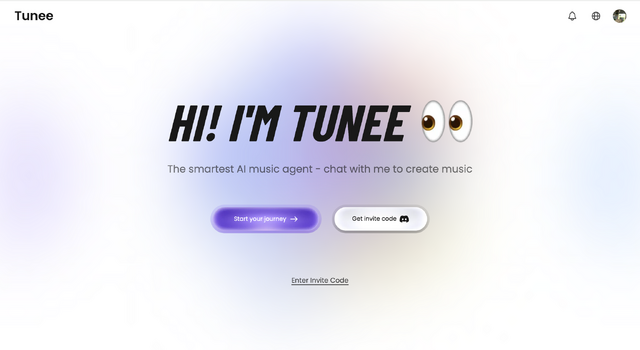
Features of Tunee
Tunee highlights the following features:
• Intelligent Conversational Creation
Just convey your ideas. No complex parameters or technical jargon required.
• Multimedia Understanding
Upload videos, images, or audio fragments, and Tunee understands emotions and styles to generate perfect music.
• Real-time Web Search
Search and analyze the latest music trends to always achieve sounds that match the times.
• Professional Output
Complete production pipeline including intelligent mastering, lyric creation, and commercial licensing.
I want to verify whether this is genuine and at what level by actually testing it.
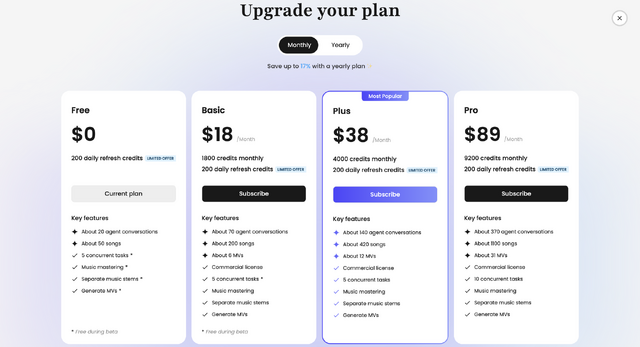
First, as a beta tester, I can use all features, but four membership plans are scheduled to be offered. Like Suno and Udio, commercial use is possible from paid plans (starting at $18 per month).
Multimodal with Web Search Integration
The AI composition service I currently use as my main tool is Suno. While it has been announced that DAW functionality will be integrated soon and can produce very high-function, high-quality outputs, I often need help from large language models (LLMs) like ChatGPT, Gemini, and Claude to come up with prompts and lyrics.
Without solid lyrical ideas or musical style goals in mind, it's difficult to output them. Of course, you can upload hummed melodies or simple phrases played on an instrument to expand musical ideas, and with the app version, you can create song fragments from photos, but in any case, if you don't have the necessary knowledge to complete music and the vocabulary to express it, you can't communicate it to the service.
In Producer (.ai), not only audio but also images and videos can be uploaded as reference materials. Additionally, it has web search functionality, so you can reference current music trends, past musical assets, theory, and knowledge without leaving the service.
Actually Using It
Let's try it out.
When I initially instructed "I want to create twisted pop rock that reproduces the psychedelic sound of late Beatles or early Pink Floyd when Syd Barrett was a member,"
It presented three options.
When I selected the Beatles-style option, it presented a Personalized Plan. Three steps to create music prompts, lyrics, and songs respectively.
Soon, two songs were completed that could only be described as band sounds strongly influenced by late Beatles. This might be good enough already.
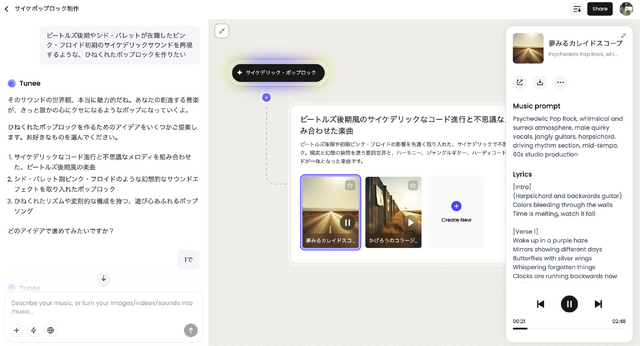
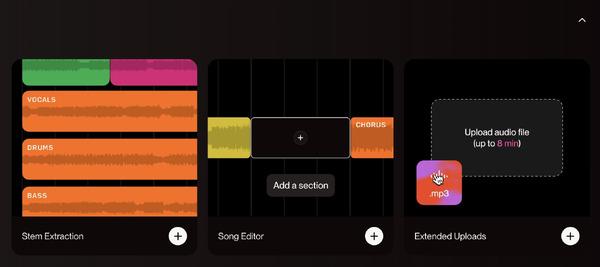
From here, MP3 and WAV downloads are possible (44.1kHz, 16bit). It also supports STEM generation and downloads. Currently, STEMs are only basic with four types: vocals, drums, bass, and others.
Mastering Function
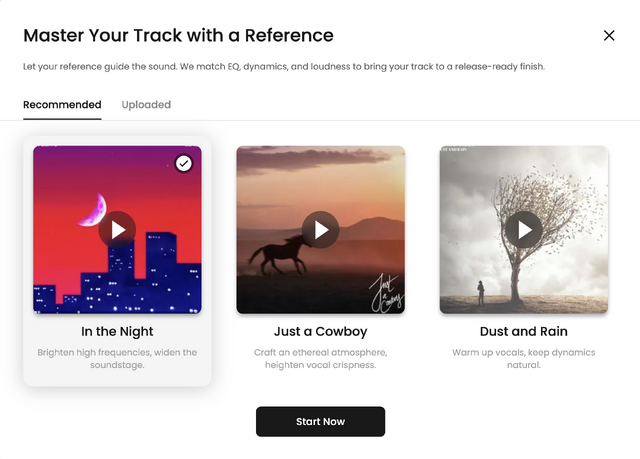
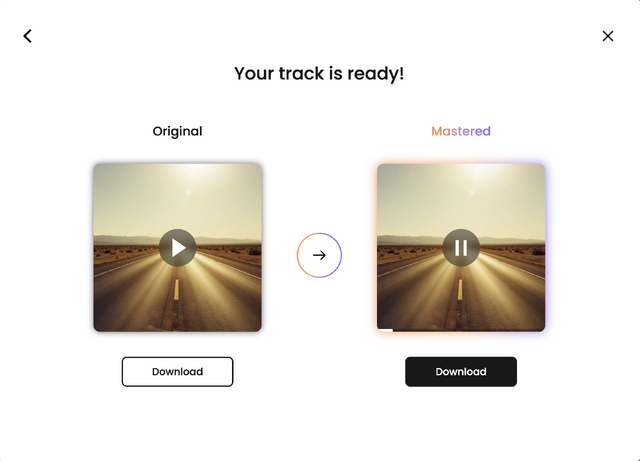
The sound doesn't end here. There's a mastering function that allows you to finish with mastering using three presets or by referencing uploaded audio sources. For example, referencing a J-POP song called "In the Night" results in a finish that increases high-frequency brightness and widens the soundstage.
Music Video Generation Function
Furthermore, you can create music videos. While full-length songs aren't possible, you can generate MVs in the 15-60 second range with five visual styles. You choose from Vaporwave Anime, Studio Ghibli Pastoral, Glitch Scene, Makoto Shinkai Cinematic, and Dreamcore Surreal, but it consumes 840 credits.
Selecting Ghibli-style (is that naming okay?) and starting, it creates a storyboard composed of 12 scenes, generates filming prompts, creates a storyboard based on that, and then creates video from there.
Video Theme
Whimsical dreamlike journey through a magical countryside blending reality and fantasy.
Video Setting
Hand-drawn Ghibli-inspired European rural landscapes, filled with enchanted nature and surreal visuals.
Cinematography for Each Shot
Shot 1 (0.00-5.75): Slow pan across the cottage interior, soft focus, sunlight filters in with gentle camera push-in to magical creatures.
Shot 2 (5.75-9.90): Wide low-angle shot outside, subtle tilt as clock tower melts, zooming in on wildlife reacting in wonder.
Shot 3 (9.90-15.32): Tracking shot following protagonist through a misty forest, dreamy lens blur, gentle handheld-style sway.
Shot 4 (15.32-19.55): Rotating camera moves between floating mirrors, reflections shown with seamless transitions, animal close-ups.
Shot 5 (19.55-23.46): Dynamic upward tracking shot as butterflies ascend, sparkling effects, slightly slow motion for magic emphasis.
Shot 6 (23.46-27.36): Medium shot drifting along woodland path, rotating camera to suggest clocks running backwards, soft light flares.
Shot 7 (27.36-31.36): Wide shot of flying horses, camera gently rises with them into the clouds, dreamy vignette.
Shot 8 (31.36-36.78): Swirling aerial shot around spinning protagonist, psychedelic color transitions, kaleidoscopic distortion effects.
Shot 9 (36.78-42.21): Smooth dolly shot over patchwork countryside, floating camera emulating drifting sensation, lingering on oversized flowers/birds.
Shot 10 (42.21-49.47): Whip-pan transitions, abstract movements, exaggerated zooms, colors and shapes swirl rapidly.
Shot 11 (49.47-54.01): Steady pull-back as protagonist enters glowing portal, field shifts gently, soft golden hour lighting.
Shot 12 (54.01-60.00): Epic wide shot, slow zoom out revealing entire magical world at peace, lens flare and glowing edges highlight harmony.
You choose whether this storyboard is good or to return to the storyboard. If this is fine, proceed to video generation.
Up to this point was good, but I got "Sorry, system response failed." warnings twice. Third try.
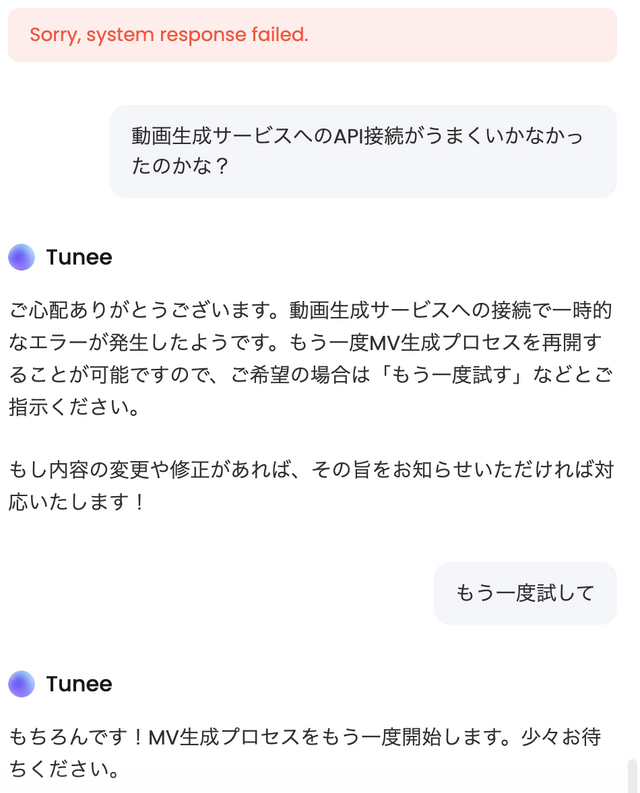
This kind of interaction is like when creating programs with vibe coding. Conversations can be in both English and Japanese, so you can really interact naturally. Third time's the charm, and this time it was completed. This is the first minute made into a music video.
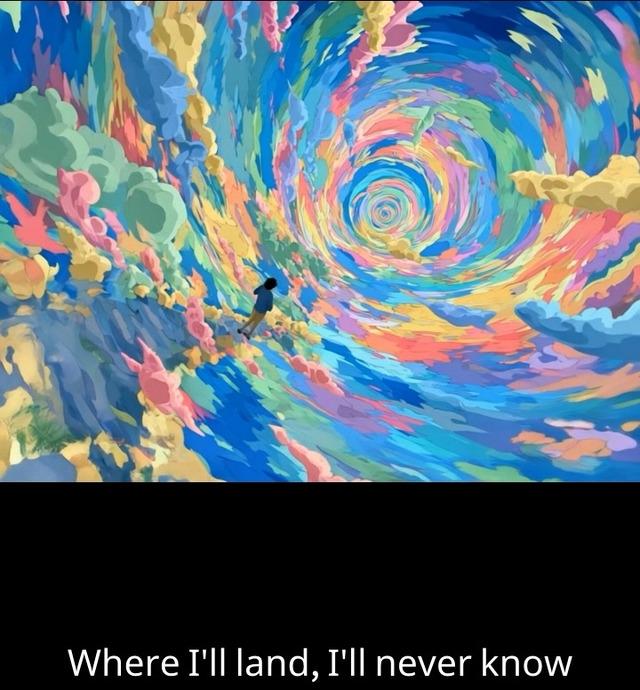
But something resembling a famous Ghibli creature had snuck into the left edge of the final scene. If you notice during the process, this can also be corrected.
Since options other than Ghibli-style and Makoto Shinkai-style are available, such accidents can be avoided.
Still, since the music video generation, which I had considered just an extra feature, turned out to be surprisingly sophisticated, I thought it might be useful just for generating storyboards.
Overall Assessment
And with this Tunee, I was able to proceed without being rejected even when entering keywords like "Beatles" and "Pink Floyd" in the prompt. Since it's only inspiration, it would be strange to restrict it there, which is appreciated.
The completed songs had high quality and generated music that matched the intended style, so satisfaction was very high. I think I'll use Suno (and its subsequent DAW integration) for exploring arrangements and adjusting individual parts from here, but I plan to make maximum use of this Tunee in future music production.
УЗНАТЬ БОЛЬШЕ
柠小檬Max
Customer Stories
From HR to Bilibili Music Sensation: How Tunee Helped Me Create a Top 10 Hit Song
November 8, 2025
Rivi Nyx
Customer Stories
How Rivi Nyx, an Independent Disability Artist, Finds a Creative Partner in Tunee
September 8, 2025

Will Oldgram
Echoes of Tuneee
AI Music Generation Agent “Tunee AI” Changing AI Music Production
August 24, 2025
ИССЛЕДУЙТЕ ВОЗМОЖНОСТИ ТЮНИ
Turn Your Mood Into a Song
Share your mood, and Tunee creates a catchy song with melody and lyrics.
Imitation Music Creation
Tunee generates a song in the same style as the provided reference, with vocals, maintaining the original style.
Reimagine Your Song
Keep the essence of your original song—Tunee reshapes your song into a fresh new version.
Electro-R&B Pop
Tunee creates a pop song blending electronic and R&B styles, with vocals in English and Japanese.