
Create Slideshow with AI
Upload your audio and Tunee generates Slideshow-style music videos with photo transitions — no design tools, no rendering software needed.
Frame previews from AI Slideshow music videos
Single frames pulled from AI-generated music videos — a glimpse of the Slideshow visual style Tunee creates from your audio, no camera or crew needed.


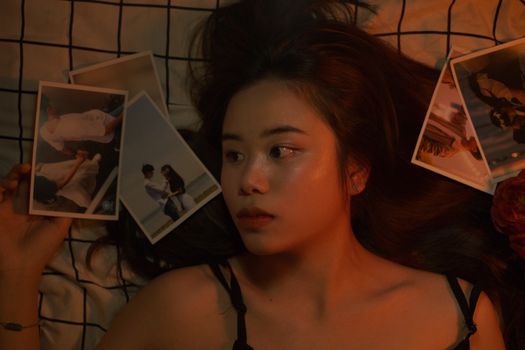
The slideshow has a place - when the photos are the point
What a slideshow MV is
Slideshow music video is a sequence of stills (photos, scanned film, screenshots) cut to a song with simple transitions - fade, push, Ken Burns pan-and-zoom. The format gets dismissed because most are made badly with auto-generated transitions over thirty random phone photos. Made well, it's powerful: the Up opening montage is a slideshow in motion, This Is Us episode-end photo sequences, the Vimeo Staff Picks tribute reels people make for funerals and weddings. The discipline is curation - fewer images held longer.
When to use it
Slideshow MV is the right format for memorial videos, wedding recaps, baby's-first-year compilations, travel reels, school-year highlight reels, anniversary gifts. The form's cinematic high-water mark is the opening montage of Pete Docter's Up (2009) - married life in four minutes of stills-in-motion. Ken Burns' PBS documentaries (The Civil War, Baseball) standardized the pan-and-zoom move on archival photos that now bears his name. NBC's This Is Us episode-end photo sequences. It also works for heritage acts releasing legacy material, photographers releasing music, anyone whose visual archive is photographic. The format suits emotional pop, acoustic singer-songwriter, and ambient scoring better than high-energy genres needing motion match-cuts.
Tunee prompting tip
Tell Tunee the source and the pacing: 'twelve photographs total across 90 seconds, Ken Burns slow zoom on each, soft cross-fade transitions, no kinetic motion'. Specify the photo treatment: 'subtle film grain overlay, slight desaturation for older feel, no Instagram-style filters'. Add transition timing to song structure: 'photo change on every chord change, hold longer on chorus'. Curate down hard - twelve right photos beat fifty random ones.
Slideshow music video prompts — copy & generate
Each prompt is crafted for Slideshow aesthetics. Paste into Tunee, hit generate — your slideshow music video is ready in seconds.
Beautiful photo slideshow MV with smooth Ken Burns pan-zoom, warm vignette, nostalgic fading transitions, emotional pacing. Wide establishing shot, slow push-in. Sentimental lighting — golden edges, deep contrast centre. Photo transitions fills the background. Beat drop triggers a hard cut to a new angle.
Split-screen: performance left, abstract Ken Burns effect right. Both react to the same beat. Nostalgic palette. Merge into full-frame at the final chorus.
Zero-gravity: photo transitions drifts and collides in warm slow motion. Each snare triggers a burst of nostalgic photos. Final bar: everything collapses into a beam of light.
A sentimental scene with photo transitions and sweeping camera movements, bathed in dramatic lighting that pulses with the beat
Artist immersed in Ken Burns effect, nostalgic energy radiating through every frame and cut of the video
Abstract nostalgic photos morphing and flowing in slow motion, capturing the sentimental essence of the music perfectly
Close-up shots of photo transitions dissolving into memory montage, creating a nostalgic visual journey that follows the song's rhythm
Wide establishing shot of a warm environment with Ken Burns effect in the foreground, evoking a deep emotional resonance
How creators use Tunee's Slideshow music video generator
From release day to full content calendars — real ways people ship slideshow music videos with Tunee.