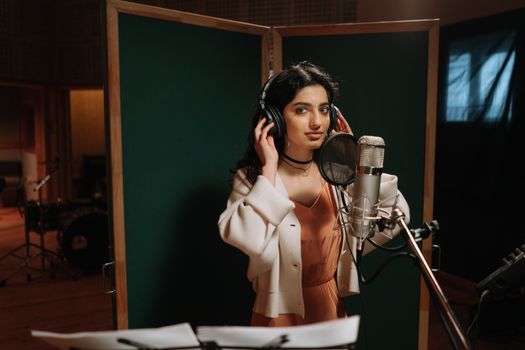
AI Music Video · Workflow

    Song to MV — Your AI Music Video Producer

    Tunee is your AI music video producer. Upload a track and our AI handles characters, scenes, storyboard, and shots — every format ready to share in minutes.
    audio uploadAI scene generationautomatic syncinstant MVeffortlessfast
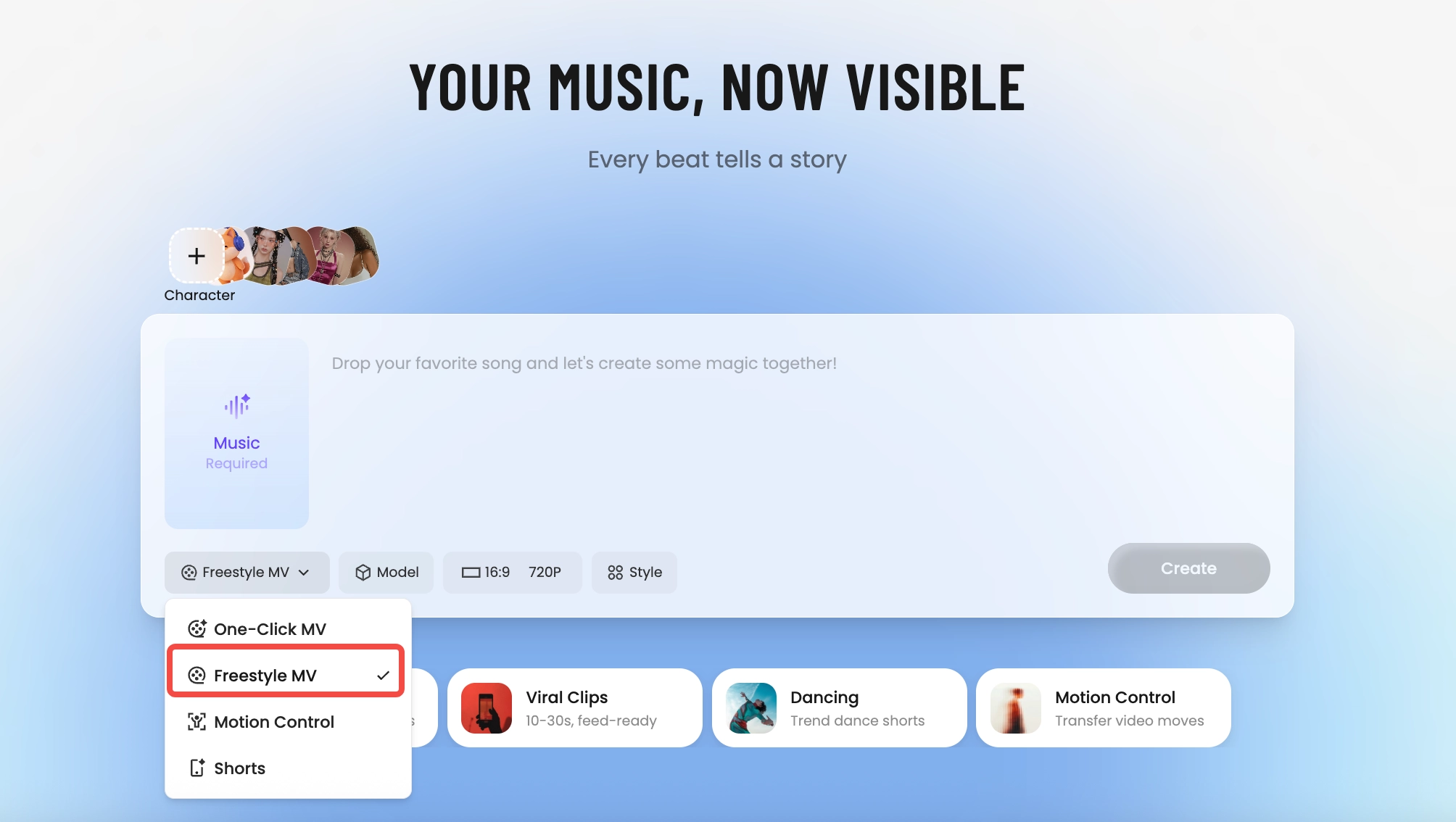
    Tunee AI music video producer — pick One-Click MV, Freestyle MV, Motion Control, or Shorts
    How It Builds

    How Tunee's AI music video producer works

    Four AI agents collaborate to turn your audio into a finished music video — you pick the moment and the direction, Tunee handles the rest.
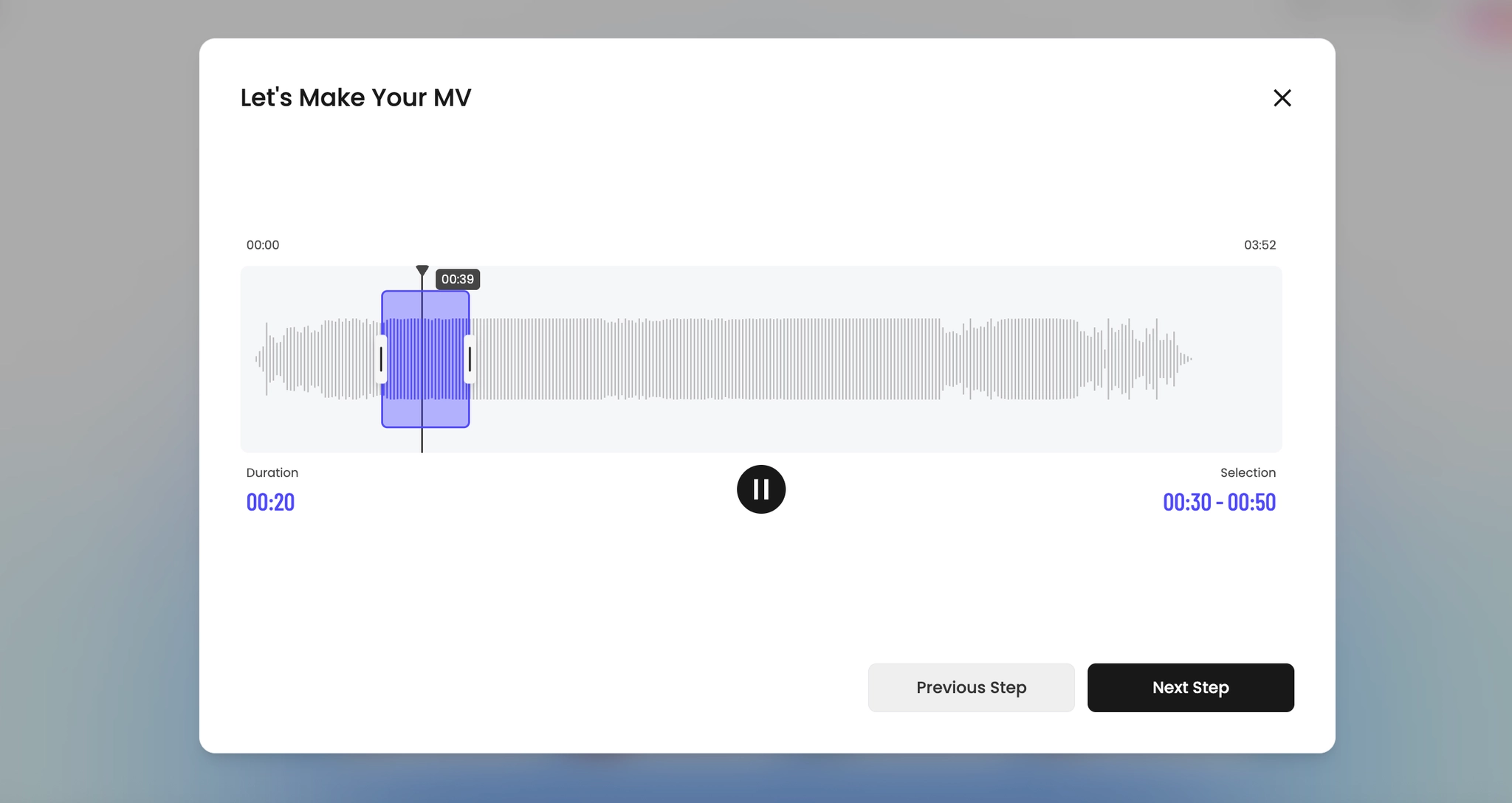
    Pick the moment
    01
    Pick the moment
    Drop your track and trim the segment that becomes your video. Tunee detects energy, key, and tempo automatically.
    Choose a creative direction
    02
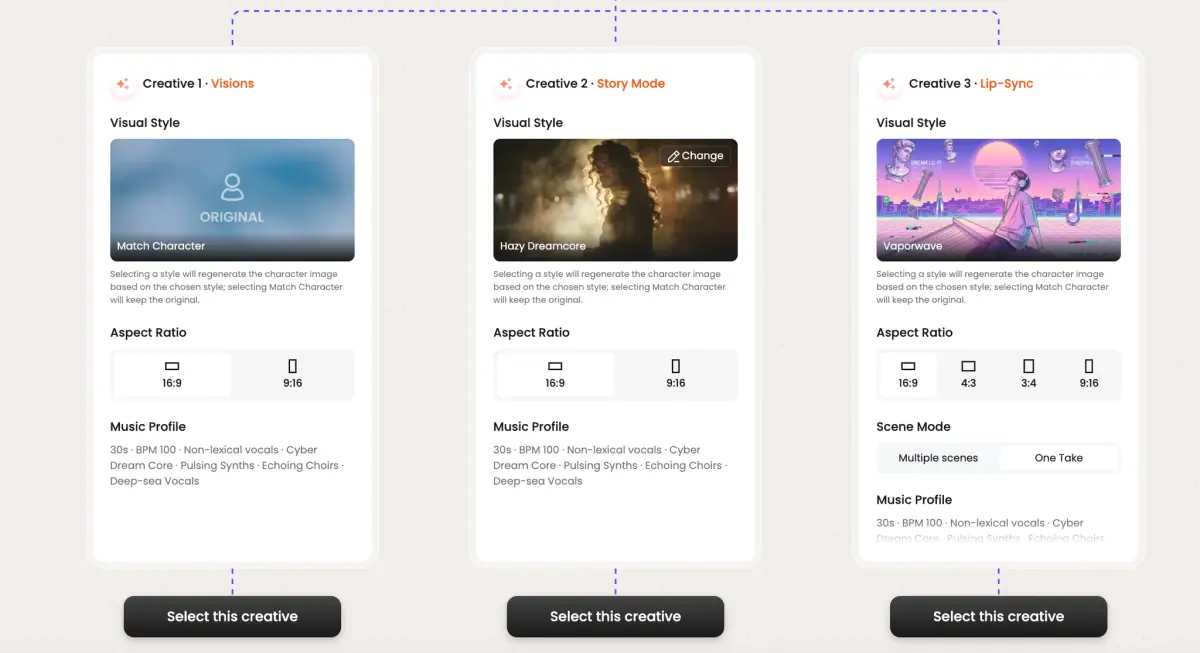
    Choose a creative direction
    Browse three AI-suggested visual treatments. Pick a vibe, lock the aspect ratio, and you're set.
    AI generates the visuals
    03
    AI generates the visuals
    Tunee's Visual Designer Nova spins up the cast and the scenes that fit your sound.
    AI builds the storyboard
    04
    AI builds the storyboard
    Story Director Sage cuts the timeline shot-by-shot and renders every format you need.
    Visual Examples

    Frame previews from AI Song to MV music videos

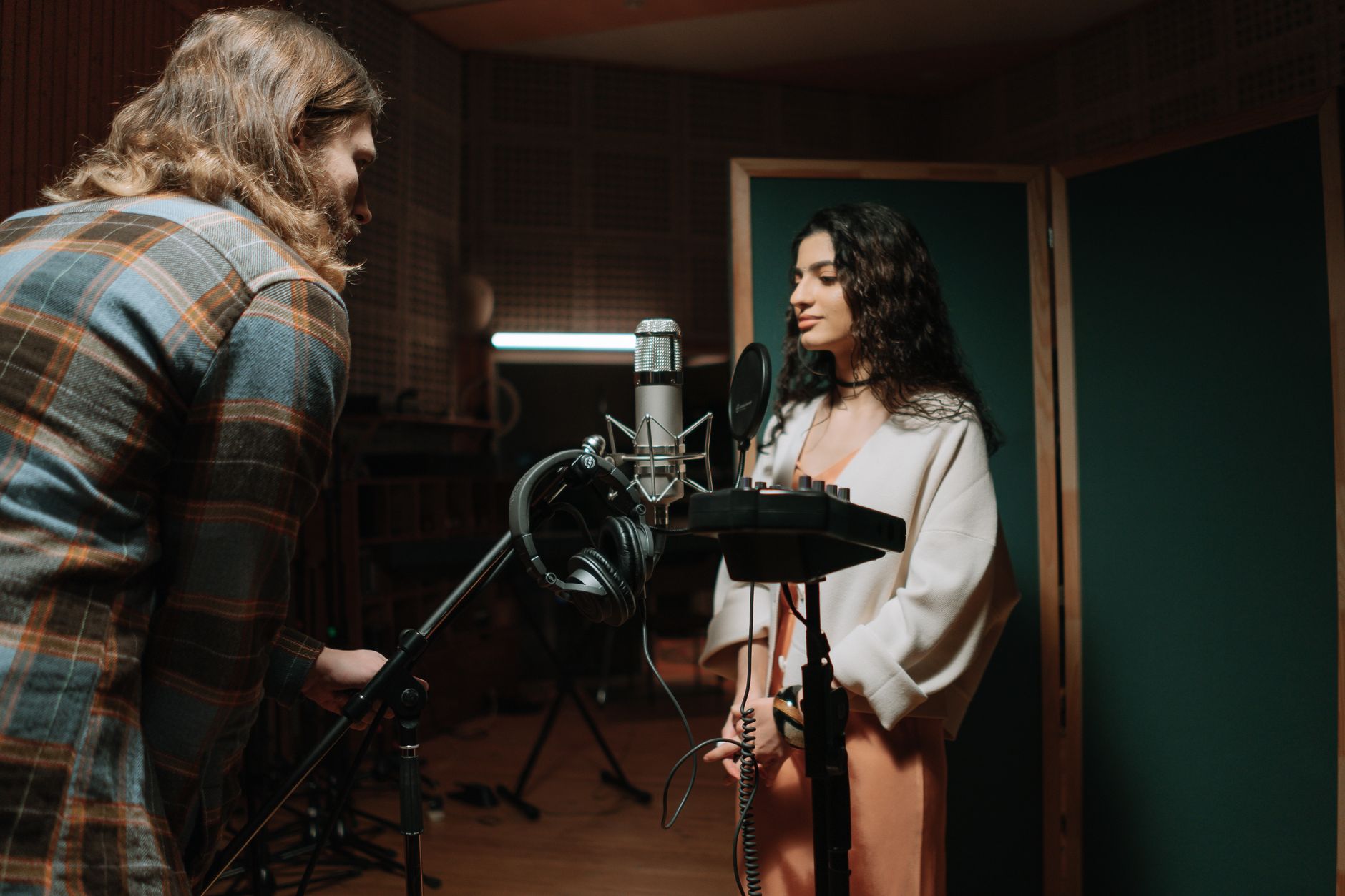
    Single frames pulled from AI-generated music videos — a glimpse of the Song to MV visual style Tunee creates from your audio, no camera or crew needed.
    SONG TO MV

    Upload the song. Get back a video the song actually deserves

    01

    What 'song to video' should mean

    The minimum bar: the cuts land on the beat, the energy of the visuals tracks the energy of the song, and the chorus looks different from the verse. Most generic 'song to video' tools fail the third one — they pick a vibe and stick with it for three minutes, which is how you get a video that feels flat under a song that builds. A real song-to-MV pipeline needs to read the song's structure first, not just its tempo.

    02

    What Tunee extracts before generating a frame

    Upload an MP3 or WAV and the audio analyst tags tempo, key, time signature, downbeats, vocal segments, and section boundaries (verse, pre-chorus, chorus, bridge, outro). That structural map is what Sage uses to plan visual variety: tighter framing in verses, wider releases in choruses, a palette shift on the bridge, the biggest shot saved for the final chorus. The song stops being 'audio underneath video' and starts being the score the video is cut to.

    03

    The 30-second test

    Before you commit to a full render, generate the first 30 seconds and watch it muted. If the cuts still feel intentional without the audio — if there's visual rhythm independent of the song — the full render will work. If muted, it looks like a random reel, regenerate with a tighter prompt before spending the credits. Tunee's draft pass is built for exactly this check.

    Ready-to-Use Prompts

    Song to MV music video prompts — copy & generate

    Each prompt is crafted for Song to MV aesthetics. Paste into Tunee, hit generate — your song to mv music video is ready in seconds.

    Scene-by-Scene Storyboard

    Each lyric phrase becomes its own scene — Tunee's AI matches every line to a audio upload visual. Effortless transitions between stanzas (dissolve on the verse, hard cut on the chorus). The final frame mirrors the opening. Built for a tight, narrative-driven music video.

    Abstract Audio-Reactive Visuals

    No literal imagery — pure audio upload and AI scene generation responding to audio energy. Low frequencies shift effortless color; highs trigger automatic sync particle bursts. The arc mirrors emotion: fast in the verse, explosive automatic at the drop, calm in the outro. Perfect when the song should carry the visual.

    Three-Chapter Music Video Narrative

    Three chapters synced to song structure. Ch.1 (effortless): audio upload wide shot, slow push-in. Ch.2 (fast): medium close-ups of AI scene generation, energy rising. Ch.3 (automatic): full-frame automatic sync, maximum intensity. Title card at 0 s, clean credit at the end — release-ready in one render.

    Quick-copy prompts

    A effortless scene with audio upload and sweeping camera movements, bathed in dramatic lighting that pulses with the beat

    Artist immersed in AI scene generation, fast energy radiating through every frame and cut of the video

    Abstract automatic sync morphing and flowing in slow motion, capturing the effortless essence of the music perfectly

    Close-up shots of audio upload dissolving into instant MV, creating a fast visual journey that follows the song's rhythm

    Wide establishing shot of a automatic environment with AI scene generation in the foreground, evoking a deep emotional resonance

    How Creators Use It

    How creators use Tunee's Song to MV music video generator

    From release day to full content calendars — real ways people ship song to mv music videos with Tunee.

    Fast turnaround
    Demo in minutes
    Go from rough idea to shareable music video in under 5 minutes. Show your sound before the release drops, no editor required.
    Full catalog
    Album rollout
    Produce one music video per track in the same visual style. Tunee handles every track consistently — no re-briefing, no creative team on payroll.
    Pitch-ready
    Send to labels & brands
    Create a moving demo for labels, sync agents, or brand partners. A music video lands harder than a SoundCloud link.
    Who Uses This

    Who Tunee's AI music video producer helps

    Solo Artists
    Musicians use this Song to MV workflow to quickly turn raw assets — photos, lyrics, or audio — into polished music videos without needing a production crew.
    Content Creators
    Content creators leverage the Song to MV pipeline to automate repetitive video production tasks and focus more time on creative direction.
    Production Teams
    Record labels integrate this Song to MV workflow into their release process to produce high-quality visual content for every single and album track.
    Marketing Departments
    Marketing teams use the Song to MV workflow to convert existing brand assets into engaging music-driven video content for campaigns.
    FAQ

    Song to MV music video generator — common questions

    How do I customize the visual style of my Song to MV music video?
    You can guide the visuals using text prompts that describe scenes, moods, and settings. Tunee's AI interprets your input and generates audio upload-inspired visuals that match your Song to MV aesthetic.
    Can I use Tunee's Song to MV music video generator for commercial projects?
    Yes. Videos created with Tunee can be used for commercial purposes including streaming releases, brand campaigns, and social media content.
    How do I add lyrics or subtitles to my Song to MV music video?
    Tunee offers built-in lyric and subtitle overlay options. Simply enter your lyrics and choose a text style, and the AI will sync them to your Song to MV music video automatically.
    Does Tunee's Song to MV music video generator work on mobile devices?
    Tunee is fully accessible via web browser on both desktop and mobile, so you can create Song to MV music videos from any device without installing software.
    Can I create a Song to MV music video without any video editing experience?
    Yes — Tunee's AI handles all the video production automatically. Just upload your audio or enter a text prompt, choose a Song to MV style, and the AI generates your video in minutes.

    Ready to create your music video?

    Join thousands of artists creating stunning videos with AI.

    Try It Now